Getting hidden calls?
See the number behind No Caller ID.
Don’t pick up. Seconds after it stops ringing, you get their number.
Free setup and test call · US only · Spoofed numbers can’t be revealed
How it works
Set it up once. Then don’t answer.
- 01
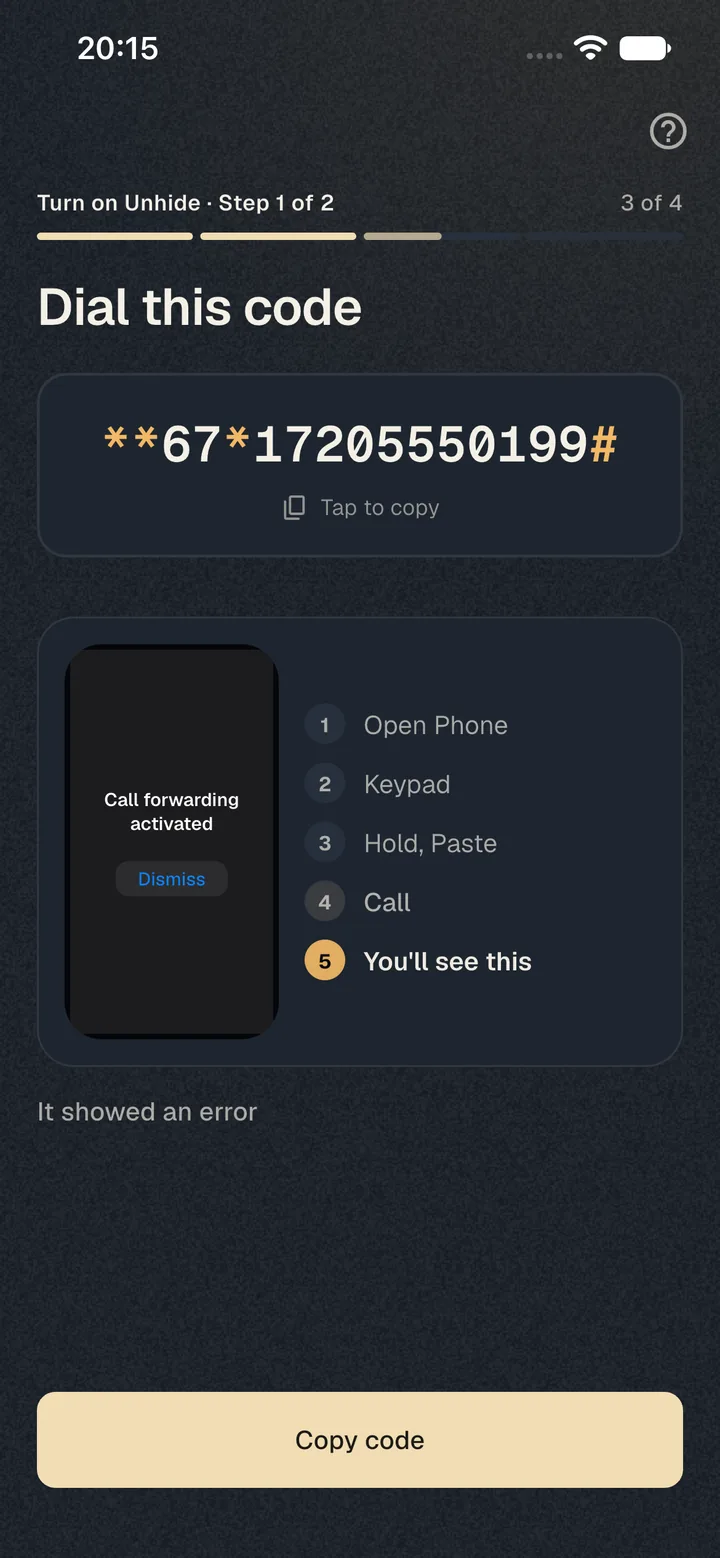
Turn on Unhide
Your voicemail is backed up first.
- 02
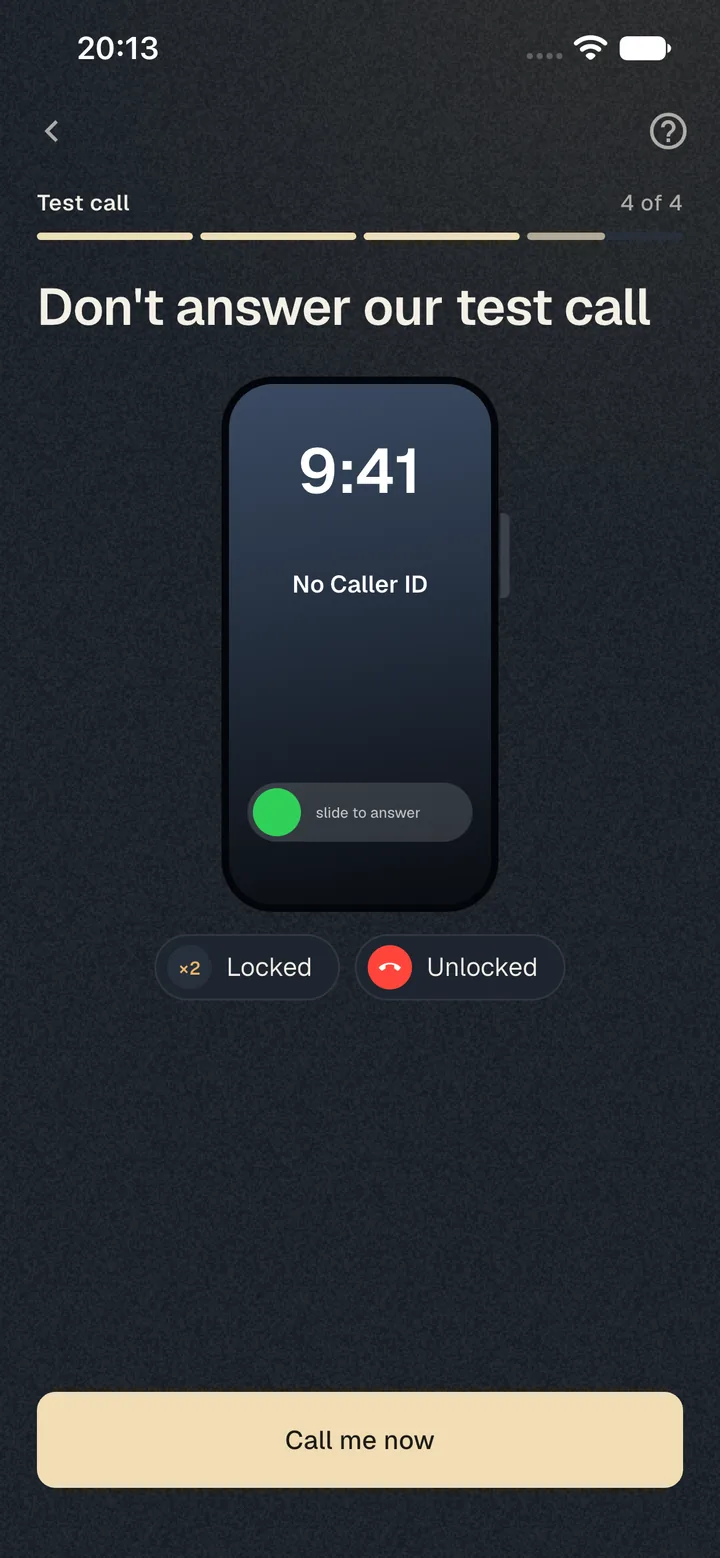
Let it ring
After about 20 seconds of ringing, your carrier passes the call to Unhide.
- 03
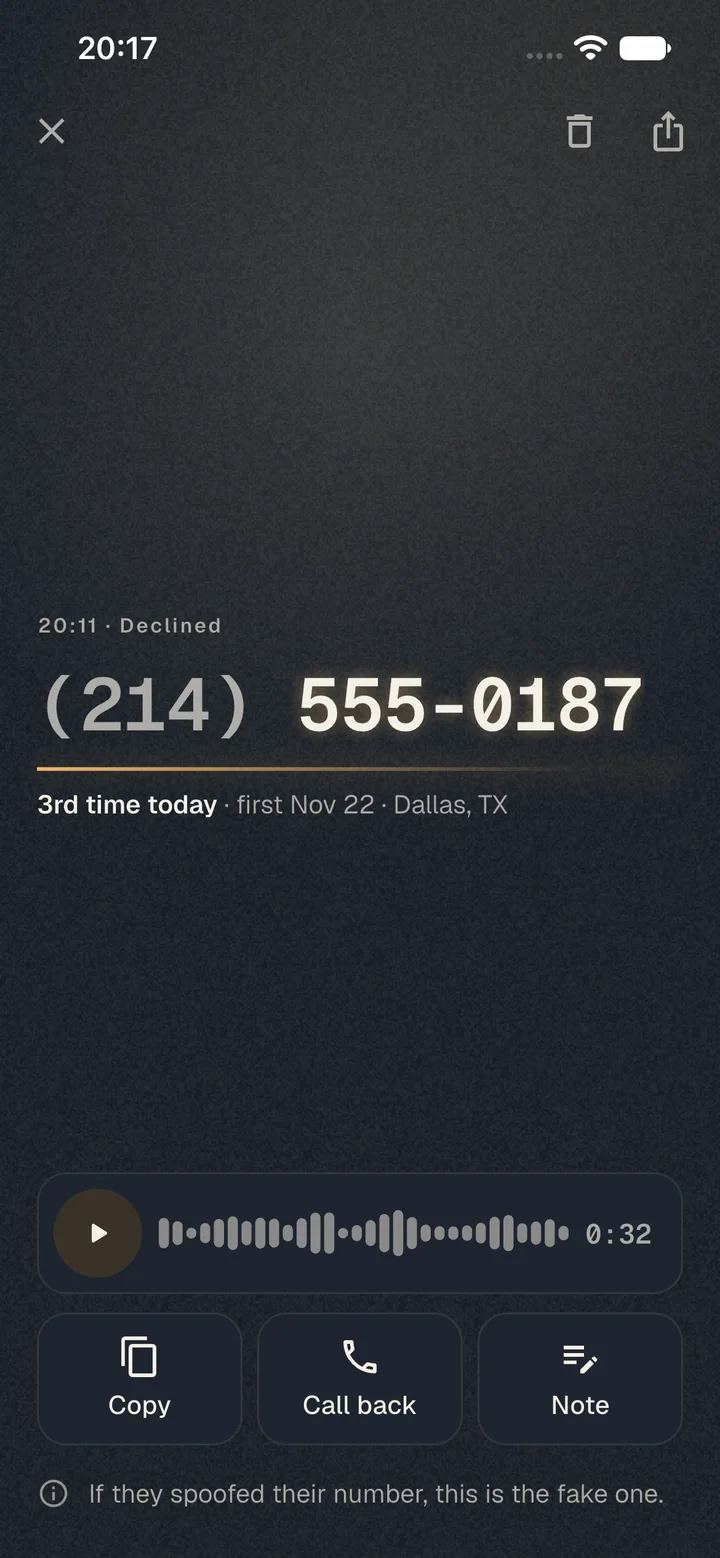
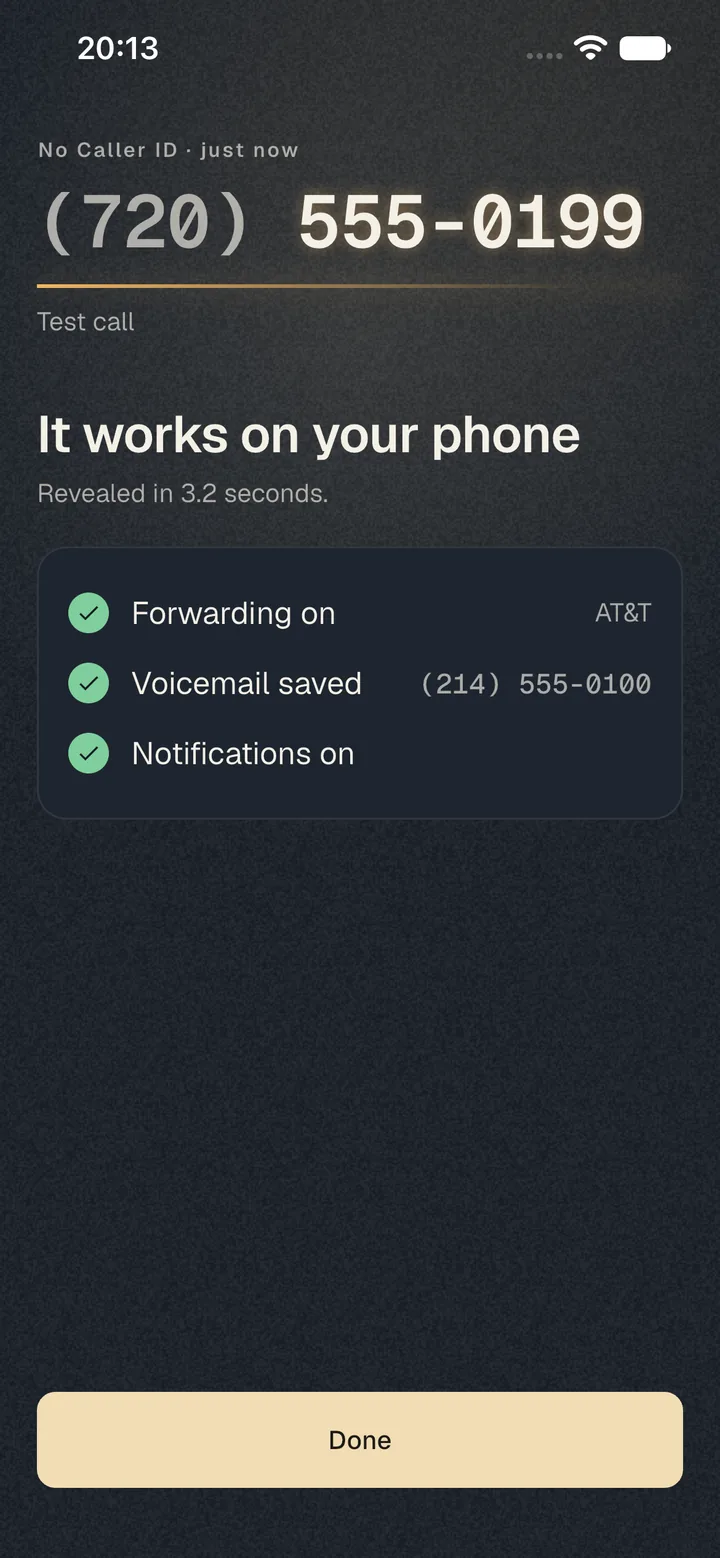
See the number
A free test call proves it works on your phone before you pay.
What you get
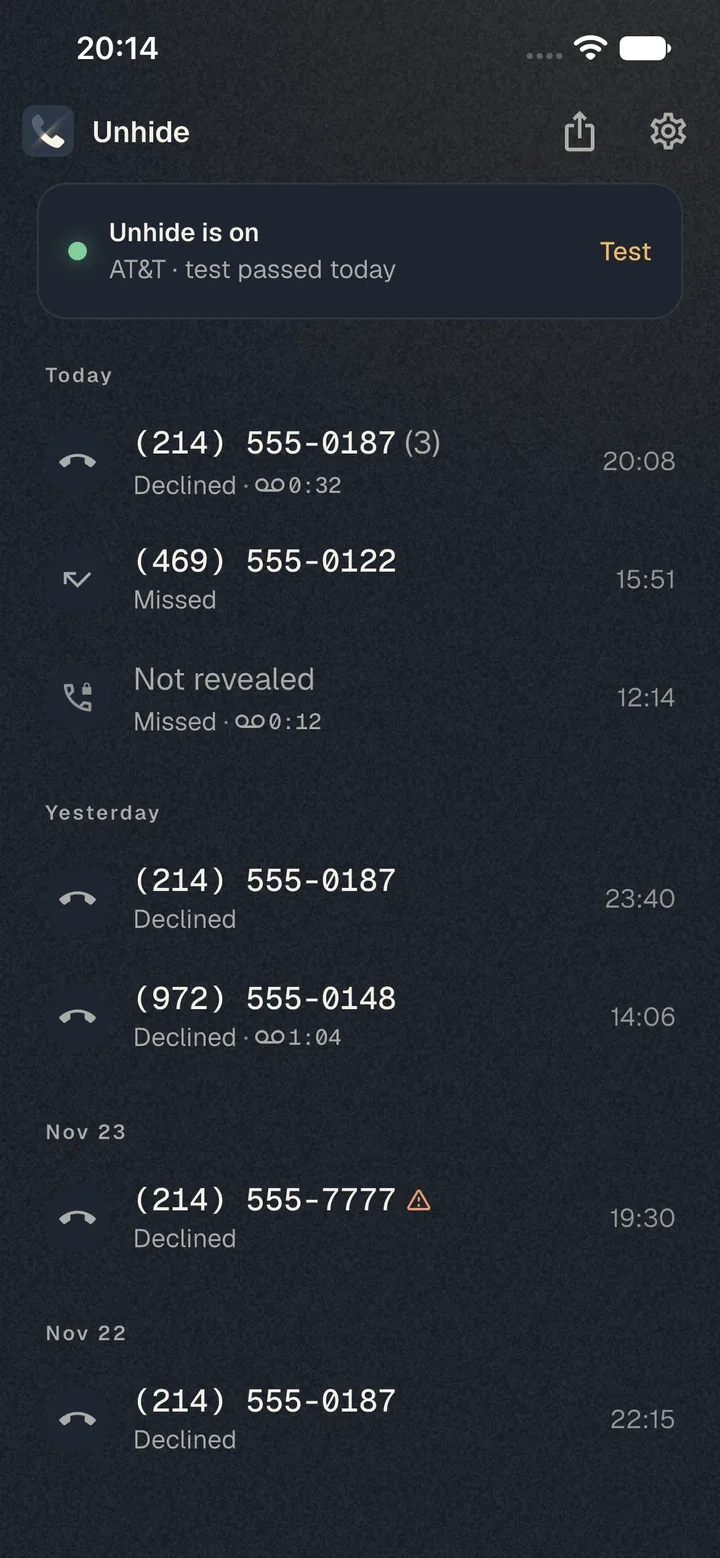
Every hidden call, on the record.
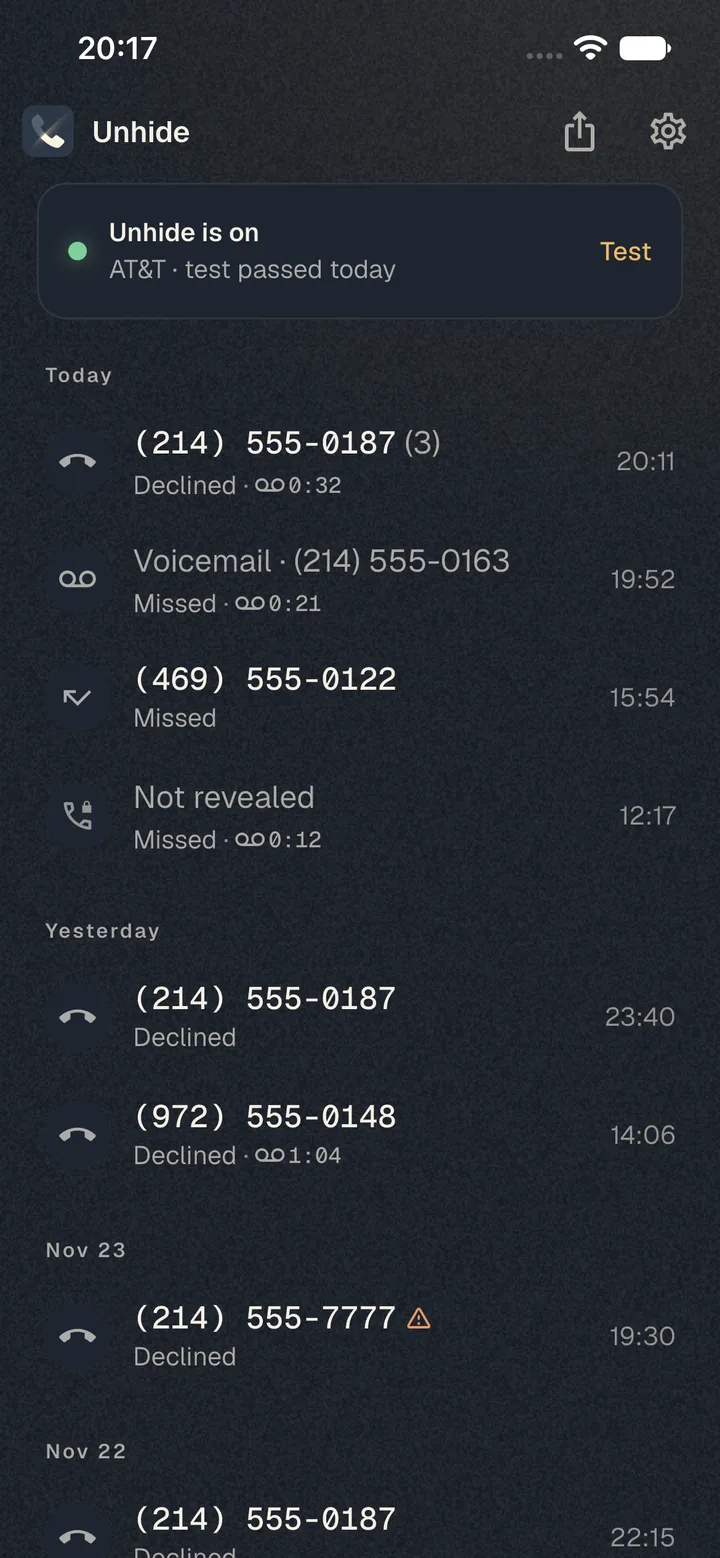
Call log
Number, time, declined or missed, and any voicemail.
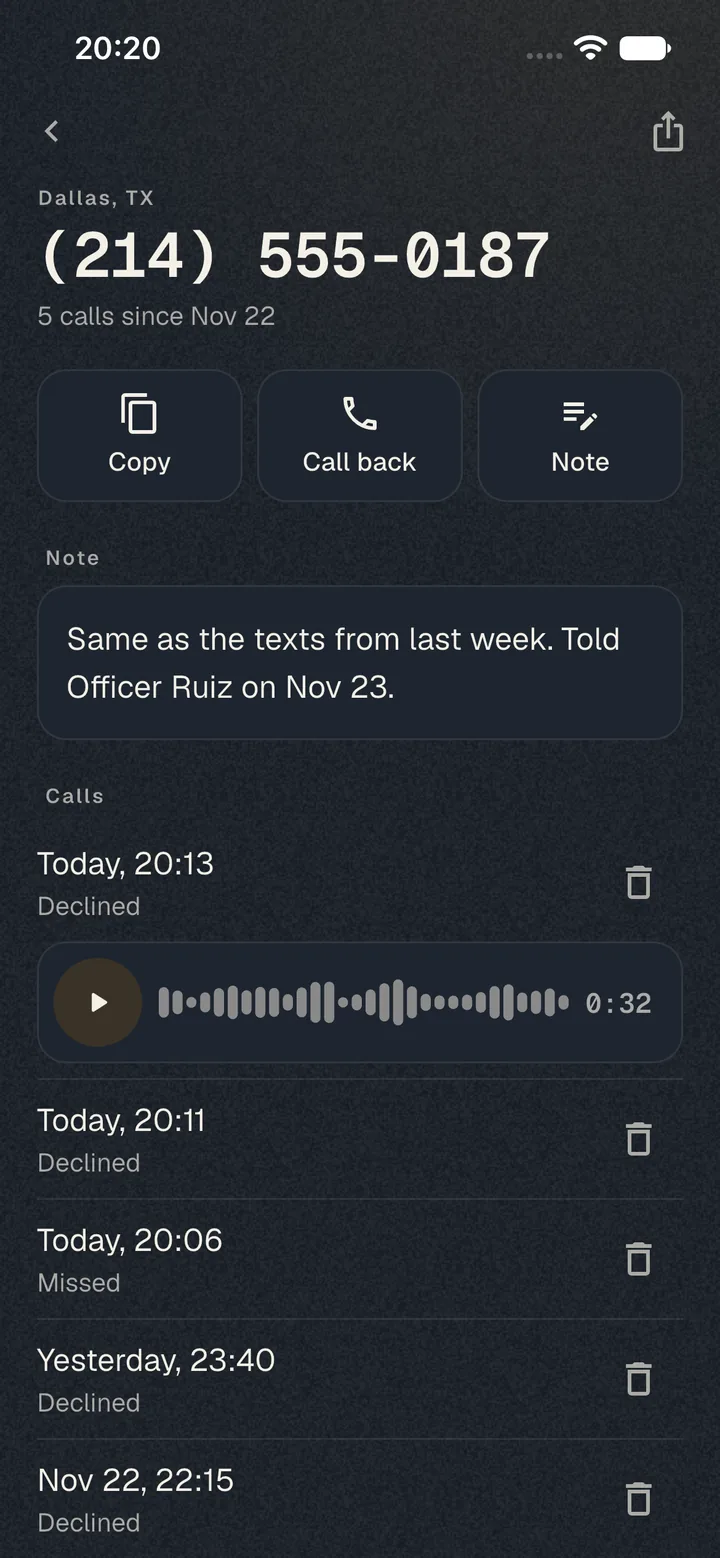
Each caller in one place
Every call from one number, plus your notes. Copy it or call back.
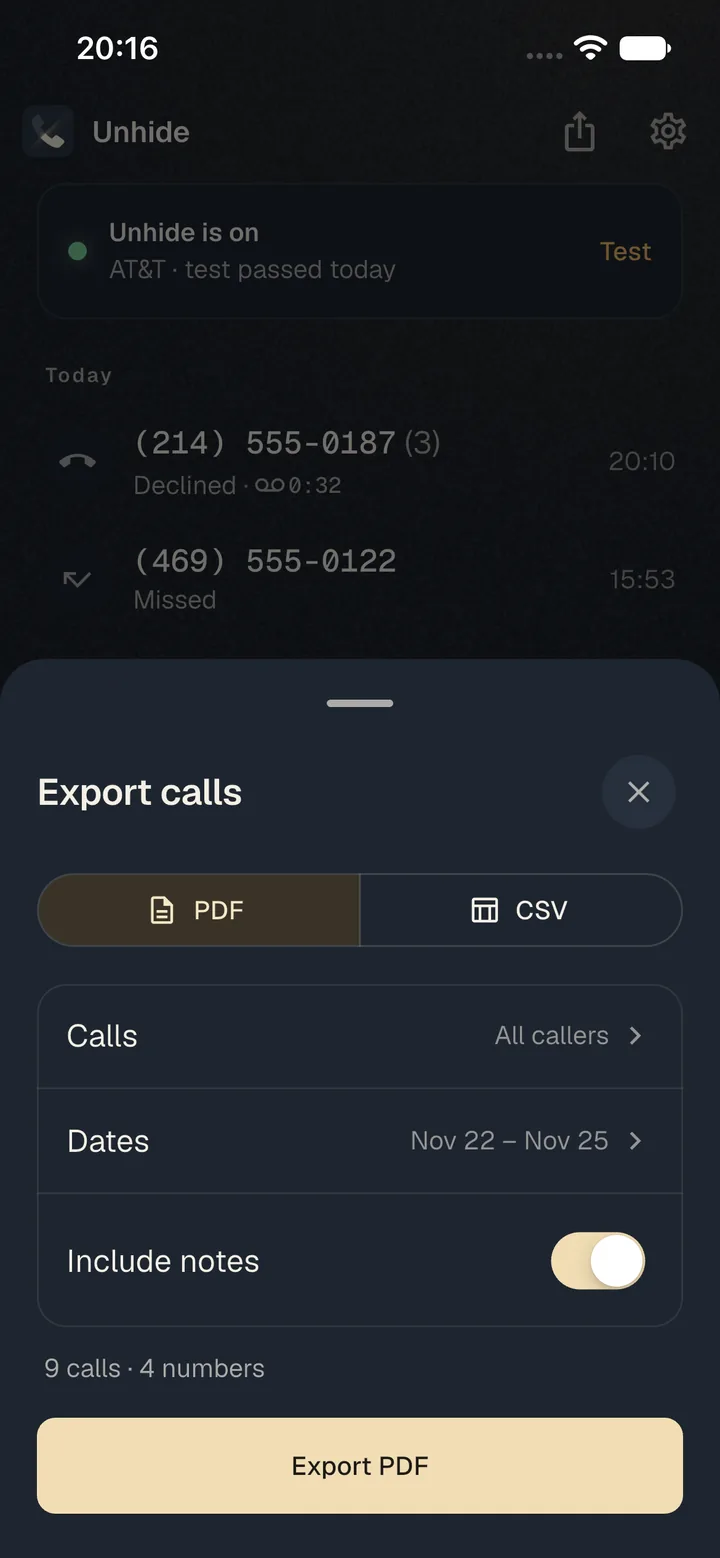
A report for police or court
Save your log and notes as a PDF or CSV.
Pricing
Free to set up. Pay when it works.
Setup, the carrier check and the test call are free. Pro adds real reveals, notifications, the call log, export and voicemail with transcripts.
Prices in US dollars. Subscriptions renew automatically. Cancel anytime in Unhide Settings or your Apple Account.
Questions
Asked, answered.
Which carriers work?
Unhide works on US carriers that allow call forwarding. Some prepaid carriers block it. Setup checks yours before you pay.
Can Unhide reveal every hidden number?
No. A spoofed (faked) number shows up as the fake one, and some internet calling apps send no number at all.
What happens to my voicemail?
Setup backs up your voicemail first. While Unhide is on, callers can leave a message, saved with their number. Restore your old voicemail anytime from Settings in Unhide.
Does it show the caller’s name?
No. It shows a number, not a name or address.
Can Unhide see my other calls?
No. Calls you answer never reach us. Unhide keeps no caller database.
How do I cancel or get a refund?
Cancel anytime from Settings in Unhide. Refunds go through Apple, and Settings has a link to request one.
See it work before you pay.
Free setup ends with a hidden test call. Let it ring, then see its number appear.